


During the Uttar Pradesh Common Nursing Entrance Test (CNET) application and counseling process, your Registration ID and Password are your most critical credentials. From downloading your admit card to checking your result and filling choices during ABVMU counseling, you will need these login details at every single step.
It is incredibly common for students to misplace their system-generated password or forget their Registration ID amidst exam pressure. If you are currently locked out of the official ABVMU portal, don't panic. This guide breaks down the official, secure method to reset your CNET 2026 password and recover your login ID within minutes.
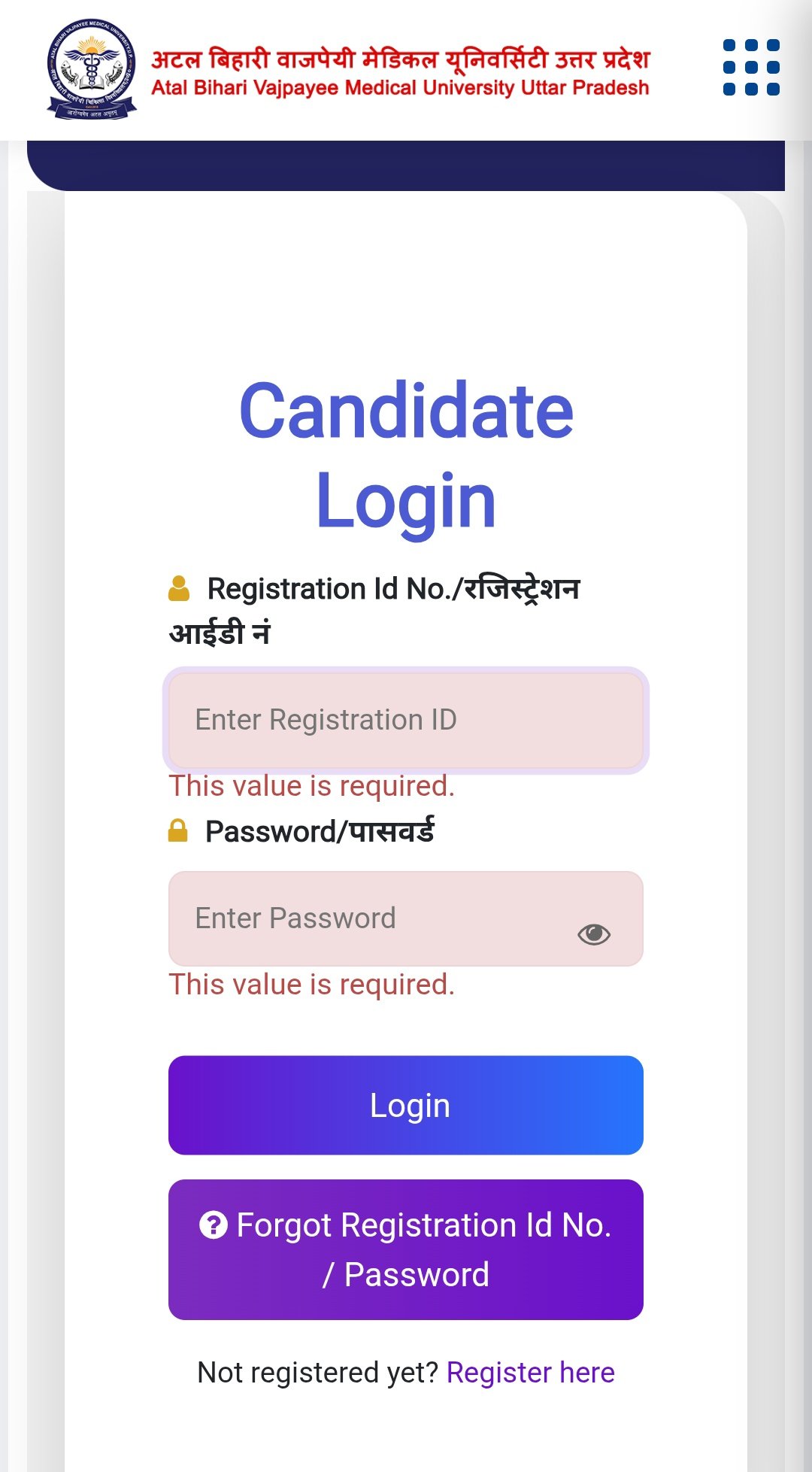
1. Where to Find Your System-Generated CNET Registration ID
Before attempting a password reset, ensure you have your correct Registration ID. When you first filled out the ABVMU CNET 2026 form, the portal automatically generated this ID. You can verify it from the following places:
- Your Registered Email: Search for "ABVMU", "CNET 2026", or "Registration" in the email inbox you used during form submission.
- SMS Inbox: Check the native messaging application on your registered mobile number for the automated confirmation text sent by the board.
- Application Form Printout: The Registration ID is clearly printed at the top-right corner of your confirmation page or initial fee receipt.
2. Step-by-Step: How to Reset Forgot CNET Password
If you remember your ID but the portal keeps showing an "Invalid Credentials" error, follow these exact official steps to create a new password safely:
Step 1: Visit the official ABVMU portal and navigate to the CNET 2026 Nursing Login page.
Step 2: Look below the main credentials box and click on the "Forgot Password?" link.
Step 3: Enter your unique CNET Registration ID and your registered mobile number.
Step 4: Click on 'Submit'. You will instantly receive a secure One-Time Password (OTP) via SMS.
Step 5: Type the OTP on the verification screen and choose a strong, fresh password.
Step 6: Save the changes and log back in using your new password to verify.
3. Quick Overview: Reset Matrix & Login Errors
Here is a quick reference table to diagnose and resolve different types of portal errors instantly:
| Problem Encountered | Primary Root Cause | Immediate Safe Solution |
|---|---|---|
| Invalid Credentials Error | Wrong password case sensitivity or typos in Registration ID. | Clear browser cache or use the "Forgot Password" link to get a fresh OTP. |
| OTP Not Received | Network congestion or DND (Do Not Disturb) service active on phone. | Wait for 5 minutes, or check your registered email spam folder for secondary triggers. |
| Account Locked | Too many consecutive incorrect password attempts on the portal. | Account usually auto-unlocks after 30 minutes; otherwise, use the technical helpline. |
🔒 Rules for Creating a Strong New Password
- Length Range: Must be between 8 to 15 characters long.
- Character Mix: Must contain at least one Uppercase letter (A-Z), one lowercase letter (a-z), and one numeric digit (0-9).
- Special Character: Include at least one symbol like @, #, $, or & (e.g., Nurse@2026).
4. What to Do If You Cannot Recover Your Account Online?
In rare instances—such as when a student loses access to their registered mobile number and email account simultaneously—the online reset panel won't work. In this specific scenario, follow this administrative pathway:
Draft a formal email to the official ABVMU examination helpline controller. In the body of your email, clearly state your Full Name, Father's Name, Date of Birth, and alternate contact details. Attach a clear scanned copy of your Class 10th Marksheet and an official Government ID (Aadhar Card) to prove your ownership. The technical team usually verifies your identity and updates your credentials records within 24 to 48 working hours.
ABVMU Official Support Data
- Official Authority: Atal Bihari Vajpayee Medical University, UP.
- Response Window: 10:00 AM to 5:00 PM (On working days).
- Critical Advice: Never share your active CNET password or OTP with unauthorized agents or third-party groups.
Need Help with CNET Login?
If you are facing an unresolvable error during your password update or selection locking process, reach out directly through our dedicated support form for verified resolution assistance.
Conclusion
Keeping your login credentials safe prevents last-minute panic during crucial admission windows. Once you successfully execute your CNET registration password reset, make sure to write the active ID and password down securely in a personal diary or save it privately in your Google Account manager for instant auto-fill later.
Admission Assistance Hub
Expert Guidance: Need help choosing the best nursing college based on your CNET score? Connect with our academic counselors for personalized guidance.
* Free counseling assistance for UP nursing aspirants.